
Scheduled Agents
Run agents on schedules, set up Morning Brief and Highlights, track automations, and manage background execution.
Scheduled agents
You can run personal agents and automated workflows on a schedule, allowing them to gather news, process updates, and monitor events in the background while you focus on other work.
Morning Brief and Highlights
The HITL ecosystem includes ready-made scheduled system agents designed to keep you informed:
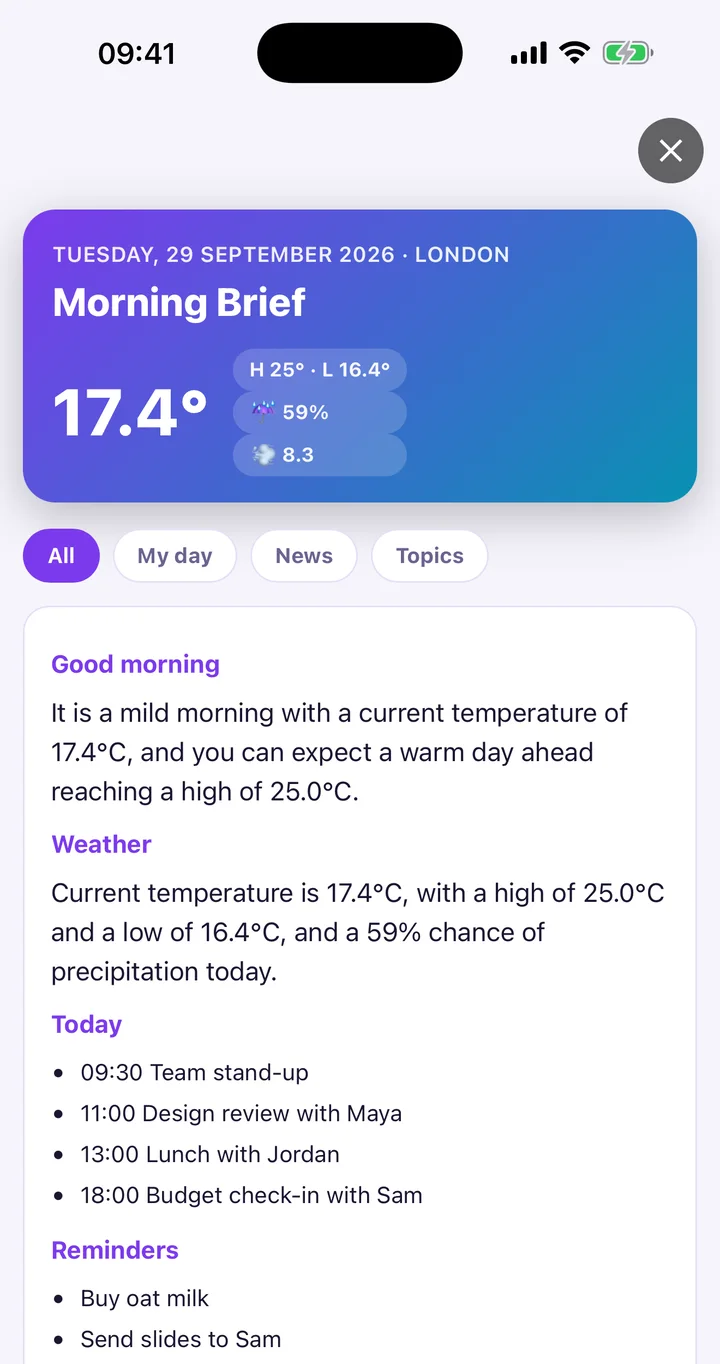
- Morning Brief: A marketplace system workflow that compiles news, reminders, and calendar events into a morning digest. During onboarding setup, you choose your preferred delivery time and information sources (BBC News is included by default). You can run it on demand or adjust its schedule anytime in automations. On iOS, it requests permissions for location, calendar, and reminders; on Android, it requests location and calendar access.
- Today's Highlights: A background system agent that summarizes updates across your day. On the dashboard, the Today's Highlights card presents recent developments. Tap Run now to generate a fresh summary immediately, or tap the Refresh highlights button to reload. If highlights are turned off, the card displays Highlights are paused. Enable in agent settings..
Active Automations and schedules
To inspect and manage all schedules across your agents in one place:
- Open Profile → Agent Engine & Data → Active Automations & Schedules.
- The screen titled Active Automations opens.
- Filter your view using the category chips: All, Time-based, or Location-based.
- Check your current plan allowance under Schedules Quota.
- Review which automations are marked Active or Paused, and tap Trigger Now on any item to launch an immediate run.
Configuring an agent schedule
To configure a schedule for an individual agent:
- Open the agent and select its automations area.
- Switch between the tabs: Schedule, Conditions, Logs, and Location.
- Toggle the master switch to Automations Active to enable scheduled runs, or Automations Paused to suspend them.
- On the schedule configuration screen:
- Turn on Enable Schedule.
- Choose a Frequency (such as 15m, 30m, 1h, 2h, 4h, Daily, or Weekly).
- Set Active Hours and target Time.
- Tap Save to apply the schedule, or test it immediately with Trigger Now.
- On iOS, select your Execution backend: choose Background (limited) or Install as iOS Shortcut (recommended) for reliable wakeups.
Try this
- Try: Change my Morning Brief schedule to 8:30 AM
- Try: Show my active automations
- Try: Run Today's Highlights now
Background execution across platforms
Scheduled execution respects the multitasking rules of your mobile operating system:
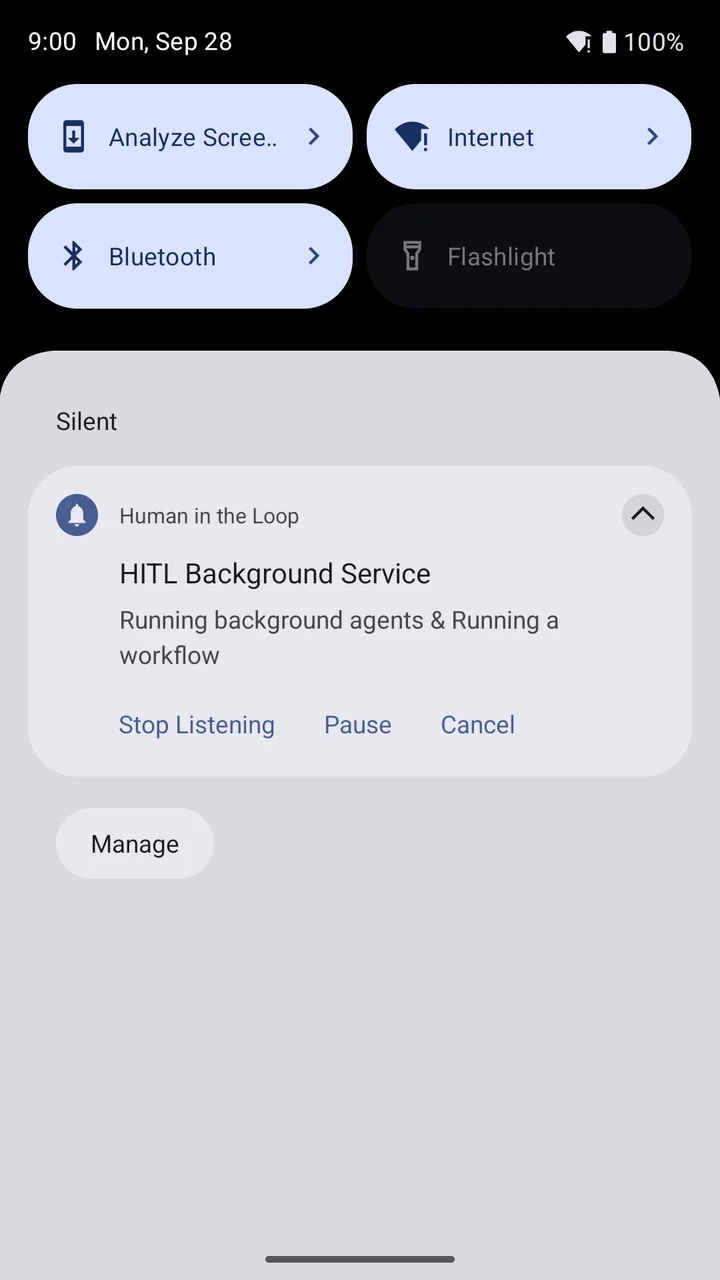
- Android: Scheduled agents run using a persistent foreground service titled HITL Background Service (or displaying the active agent's name) in your notification shade, ensuring tasks finish without interruption.
- iOS: Active runs display a Live Activity widget on your lock screen showing step progress and execution state, with controls to Pause, Resume, or Cancel.