Plans, Usage, and Keys
Understand Free, Pro, and Max plans, monitor monthly token usage, bring your own API keys, and configure remote agent keys.
Plans, usage, and keys
HITL offers subscription plans with monthly managed model allowances, alongside the freedom to bring your own API keys for unmetered execution.
Subscription plans
The service provides three subscription tiers: Free Plan, Pro Plan, and Max Plan. Each tier includes a monthly token allowance for managed cloud models, structured across light, standard, and premium model classes. Allowances reset automatically at the start of each calendar month (UTC).
- Free Plan: Includes 10M light model tokens and 4M standard model tokens per month (premium models not included), with up to 4 active automations.
- Pro Plan: Includes unlimited light model tokens, 10M standard model tokens, and 500K premium model tokens per month, with up to 10 active automations.
- Max Plan: Includes unlimited light model tokens, unlimited standard model tokens, and 5M premium model tokens per month, with unlimited active automations.
- Both paid plans support Unlimited use with your own API key (BYOK).
The Subscription screen always displays your current tier's exact line items directly from the relay. To review your tier or switch plans:
- Go to Profile → Account → My Subscription (or tap Go Pro in your profile header).
- The Subscription screen opens, showing your Current Plan details.
- Tap Upgrade to change tiers, or tap Restore Purchases if you previously subscribed on your app store account.
Tracking usage and limits
To monitor your token consumption across the current billing period:
- Open Profile → Account → Usage.
- The screen titled Usage & Limits displays your consumption breakdown.
- Review cards for LLM Usage by Tier, Monthly Tokens, and Active Schedules.
- Tap View Plans to explore upgrade options.
What happens when you hit your limit
If your managed usage reaches your monthly token limit during a conversation, the chat interface informs you that you have reached your monthly token allowance. When this occurs, you have two options:
- Upgrade your subscription: Open Profile → Account → My Subscription and select a higher tier.
- Add your own API key: Add a key in Model Providers & Secrets and configure the agent to use your provider. Usage with your own API key is unmetered and does not consume plan allowances.
Bringing your own API keys (BYOK)
You can connect external AI providers directly:
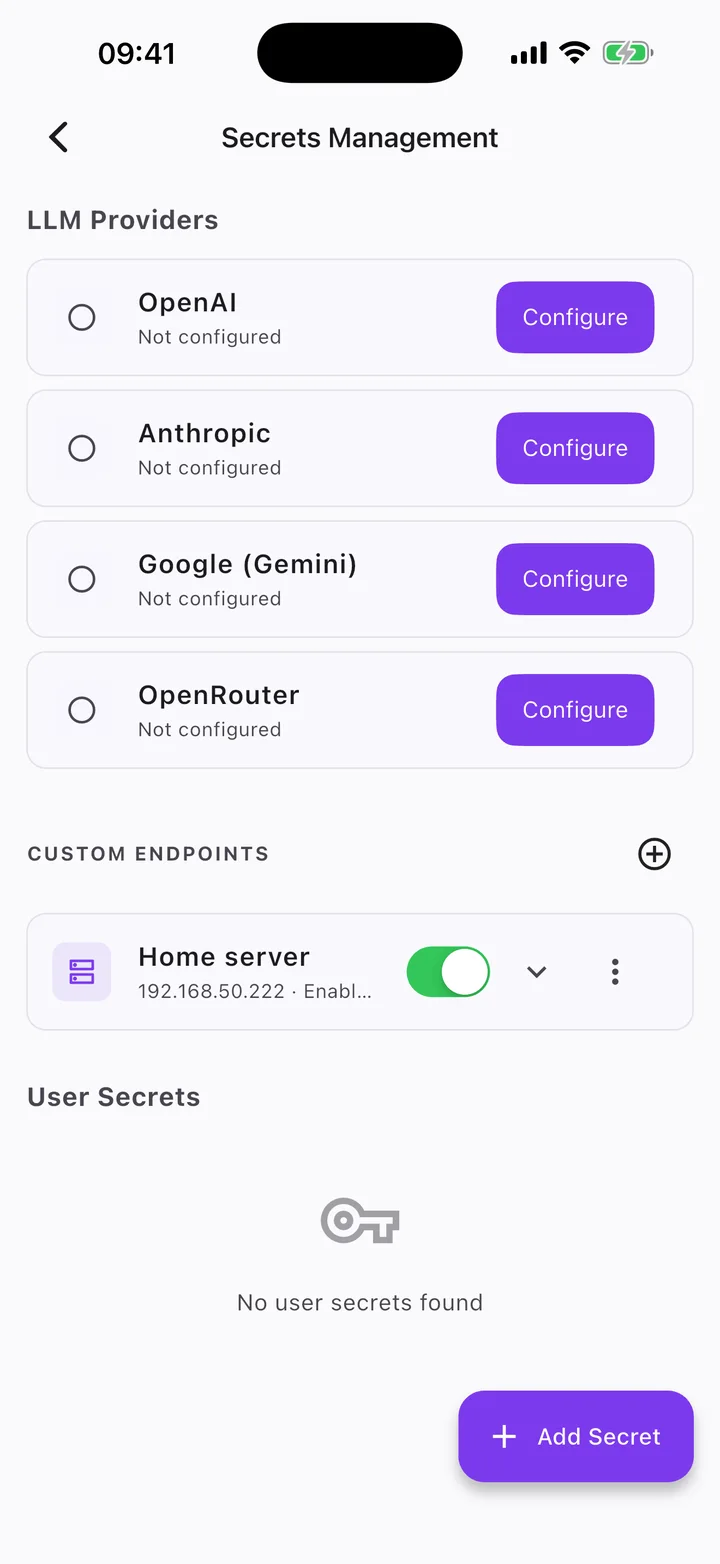
- Navigate to Profile → Agent Engine & Data → Model Providers & Secrets.
- The screen titled Secrets Management opens.
- Add credentials for supported providers, such as OpenAI, Anthropic, Google, or OpenRouter, or configure local on-device models.
- Tap Add Custom Provider to connect custom or self-hosted API endpoints.
- If you run desktop coding tools or CLI workers, configure their access under Remote Agent Keys.
Try this
- Try: Check my monthly token usage
- Try: View my subscription plan details
- Try: Open Secrets Management to add an API key