
How to split a bill from a receipt photo (and keep a running tally)
Share a receipt photo to an AI agent on your phone. It reads every line, splits the bill with the tip and keeps a live tracker of who owes what.
You're at the table, the bill arrives, and someone says "I'll sort it out later". Later means typing every line into a calculator app, working out the tip, and chasing three people for different amounts.
There's a faster way. Take a photo of the receipt, share it to your AI agent, and ask it to sort it out. It reads every line, splits the bill (tip included) and keeps a live tracker of who owes what. Here's how to do it with Human in the Loop (HITL), the app where your AI agents live on your phone.
What you need
- The HITL app on iPhone or Android. It's in public beta.
- A photo of a receipt. A screenshot of a digital receipt or a PDF invoice works too.
- About two minutes.
Step 1: Share the receipt straight to your agent
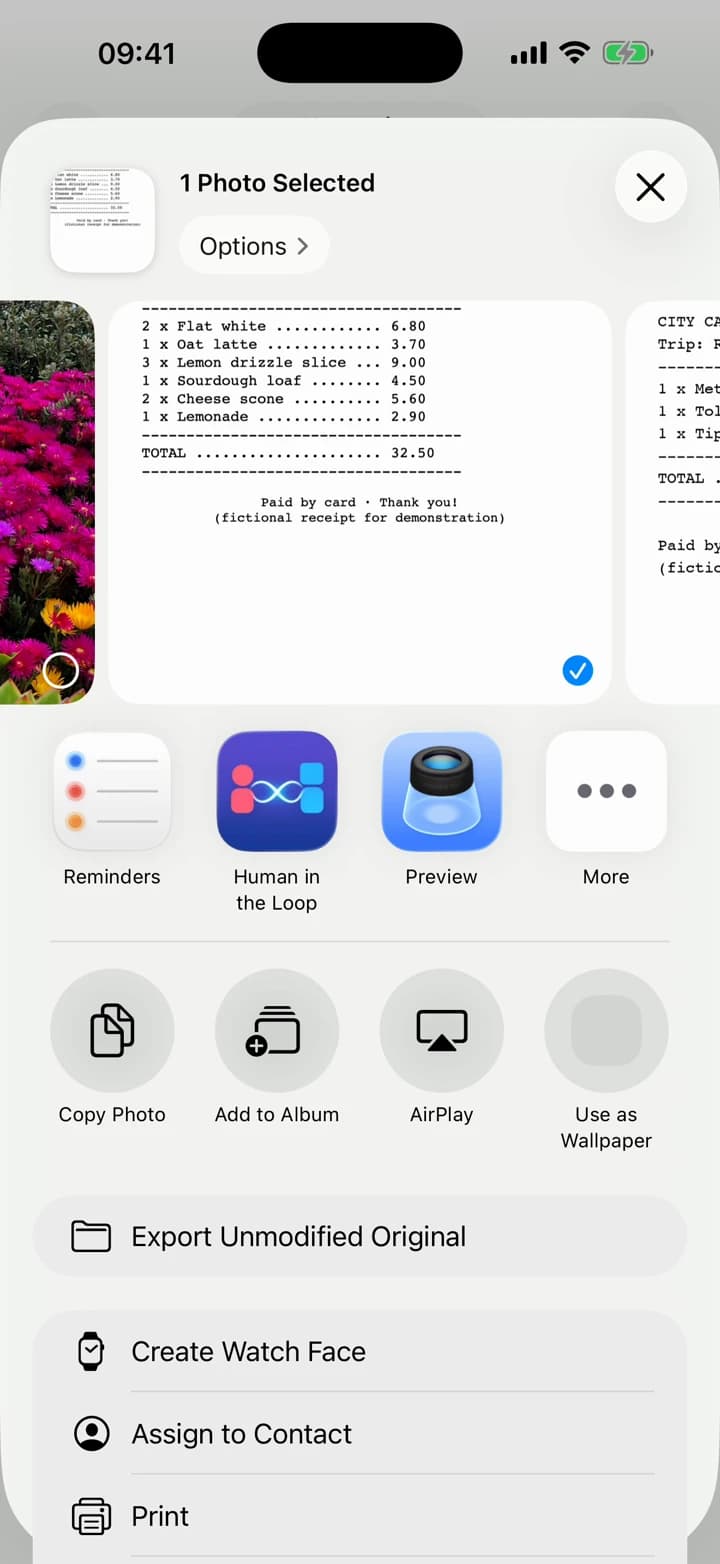
Open the photo and tap Share. Pick Human in the Loop from the app row.
HITL opens the Share to Agent screen. This is the part most apps don't have: you aren't just sending a file into an app, you're handing it to a specific agent. Type an instruction, pick the agent, and tap Send:
Split this three ways with a 10% tip, for me, Sam and Jordan. Keep track of what we owe each other.
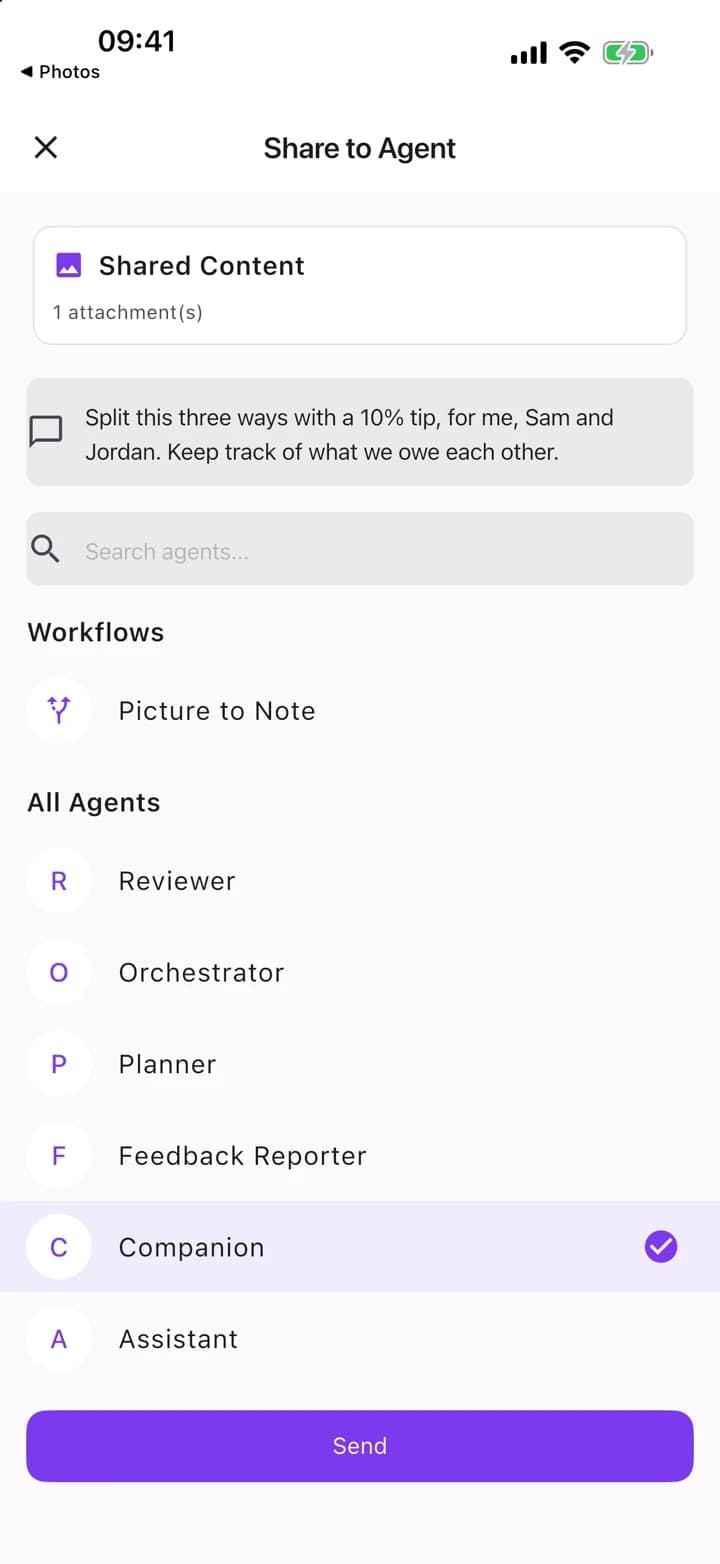
Your Companion (the built-in agent every HITL user starts with) is a good default. If you've made your own "Expenses" agent, send it there instead.
Step 2: Let it read every line and split it
The agent reads the receipt: the items, the subtotal and the total. It adds the tip and works out each person's share, rounding to the penny so the shares add up to the exact total.
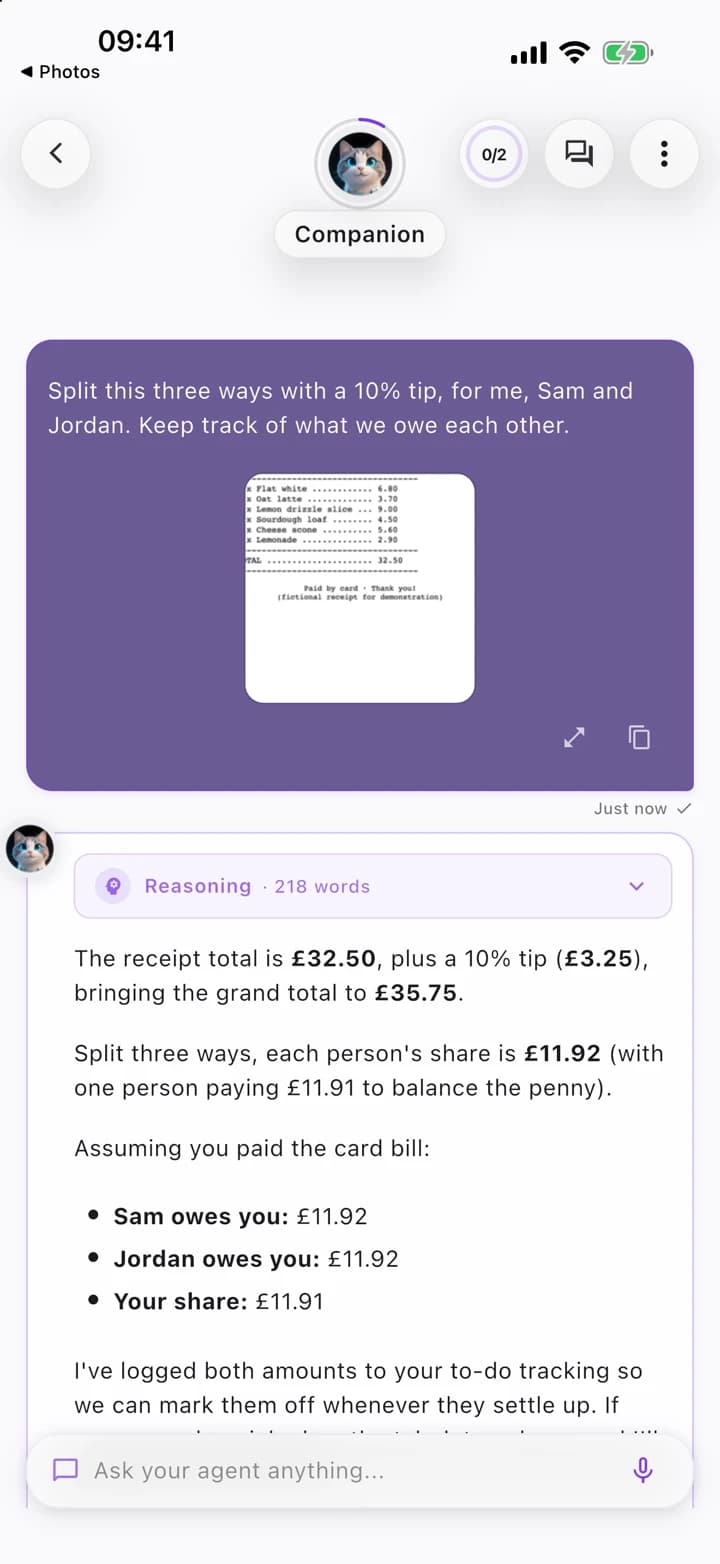
You don't have to type anything from the receipt. If something looks off, just say so ("the lemonade was mine") and it redoes the split.
Step 3: Keep a running tally
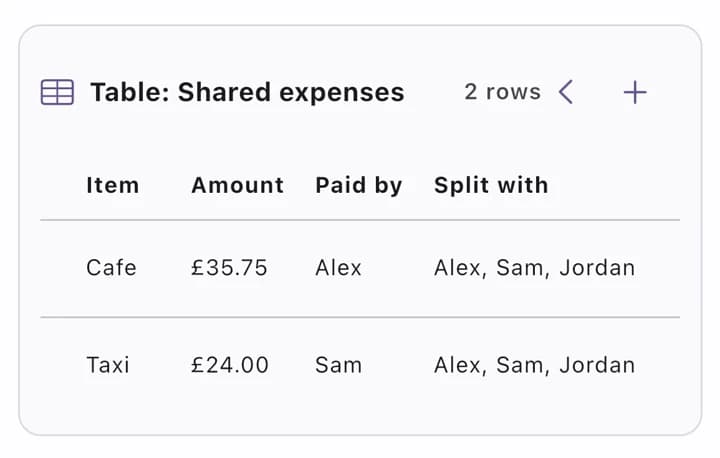
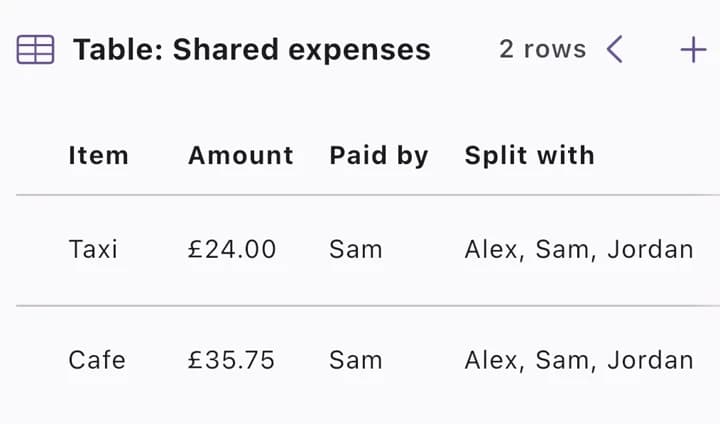
A one-off answer is useful. A tracker is better. Because you asked it to keep track, the agent sets up a live table of shared expenses right in the chat: what it was, how much, who paid and who it's split between.
Next time, just share the next receipt with a note ("Sam paid this one, add it to our tracker"). A new row appears in the same tracker. Ask at any point who owes whom, and the agent works it out.
Step 4: Change it yourself, or have your agent change it
The tracker is yours to edit. Tap a row to open it and change any field, for example who paid or the amount.
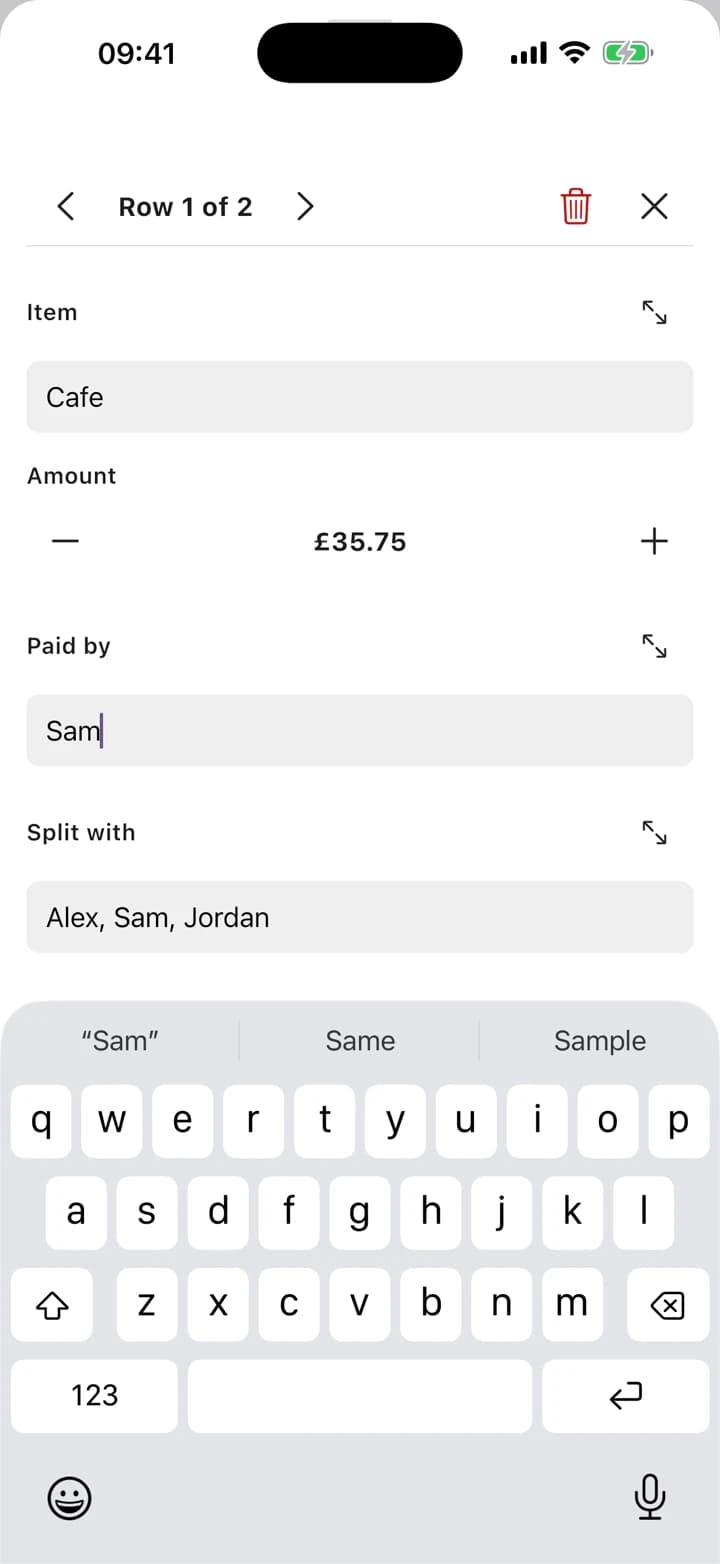
Or ask your agent to change it:
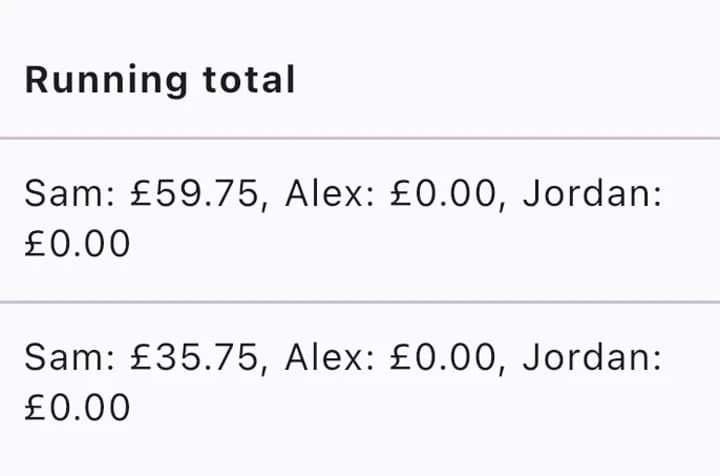
Add a column with each person's running total, newest first.
Your agent sends back the updated table: newest first, with a new running-total column. No forms, no settings screens: you say what you want and it changes.
Why share to an agent instead of using a receipt-scanner app?
Receipt scanners do one job. An agent on your phone does the job and whatever comes next: it can split the bill, keep the tracker, remind you on Friday who still owes you, or add the dinner to your calendar. It works with photos, PDFs, letters and invoices, and it all happens in one conversation.
And because the share sheet sends it straight to the agent you choose, there's no copying and pasting between apps.
Try it on other things
- An invoice: "Check this against our quote and tell me what's different."
- A letter: "What does this ask me to do, and by when? Add the deadline to my calendar."
- A school flyer: "Summarise this and add the dates to my calendar."
- A screenshot of a group chat: "Who said they're bringing what?"
Get HITL
HITL is in public beta on iPhone and Android. Join the beta and try the receipt trick tonight.
Frequently asked questions
- Can I share a receipt to one specific agent, not just to the app?
- Yes. When you share from the share sheet, HITL opens a Share to Agent screen where you add an optional instruction and pick which agent gets it: your Companion, another agent you made, or a workflow.
- What can I share besides receipts?
- Anything the share sheet can send: photos, PDFs, documents, links and text. Invoices, letters, flyers and screenshots all work the same way.
- Can I edit the tracker myself?
- Yes. Tap a row to open it and change any field. You can also ask your agent to change it, for example to add a column or sort it differently.
- Does it work on Android and iPhone?
- Yes. On Android you can share several files at once. On iPhone the share extension takes one image or file per share.
- How do I get HITL?
- HITL is in public beta on iPhone (TestFlight) and Android (Google Play testing). Join from the download page.