Turn any website you check into a daily voice memo, in any language
Ask the AI agent on your phone for a voice memo of what's new on a site you follow, in the language you want, then schedule it for every morning.
Most of us have a site we check every morning: the football results, a favourite recipe blog, the local events page. It's a small habit, and it means scrolling and reading before you've had your coffee.
With Human in the Loop (HITL), an AI agent on your phone can do the checking for you and read you what's new as a short voice memo, in the language you choose. Then you can make it a daily habit with one sentence.
What you need
- The HITL app on iPhone or Android. It's in public beta.
- A site you check regularly, one that doesn't need a login.
- About a minute.
Step 1: Ask for a voice memo of what's new
Open your Companion (the agent every HITL user starts with) and ask:
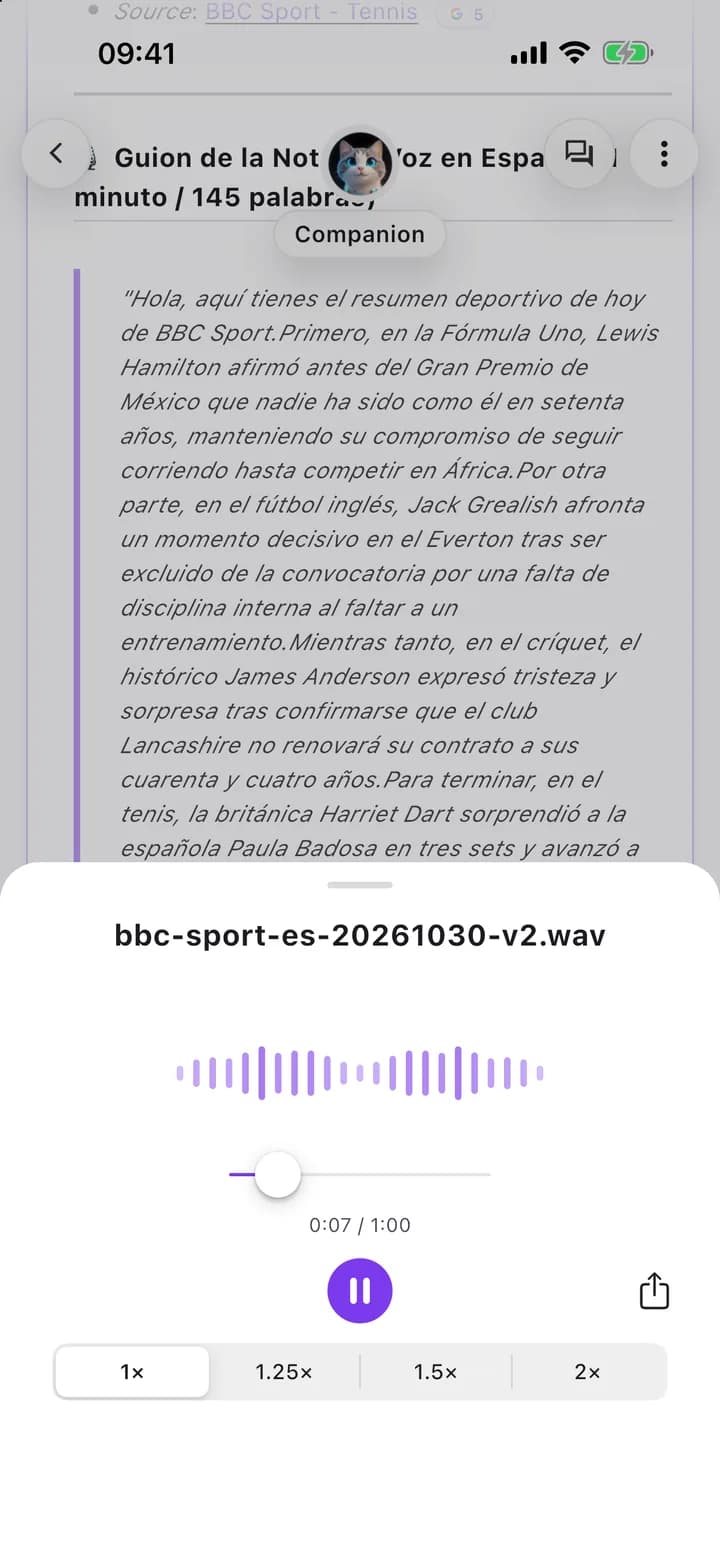
What's new on BBC Sport today? Make me a one-minute voice memo in Spanish.
Your Companion hands the job to a helper agent, which reads the site, picks out the top stories, writes a short script and records the memo. A reviewing agent can check the script against the source before you hear it.
Step 2: Listen, in any language
The memo arrives in the chat. Tap it to play, at 1x or faster. The script and the sources it used are right there in the chat too, so you can read along or open the original stories.
It's a lovely way to practise a language you're learning: real news you care about, read to you every day.
Step 3: Make it a daily habit
Now just say:
Do this every day at 7:30am.
Your agent shows you the plan (what it will fetch, when, and where the memo goes) and asks you to confirm. Tap That's right, approve the schedule, and it's set up.
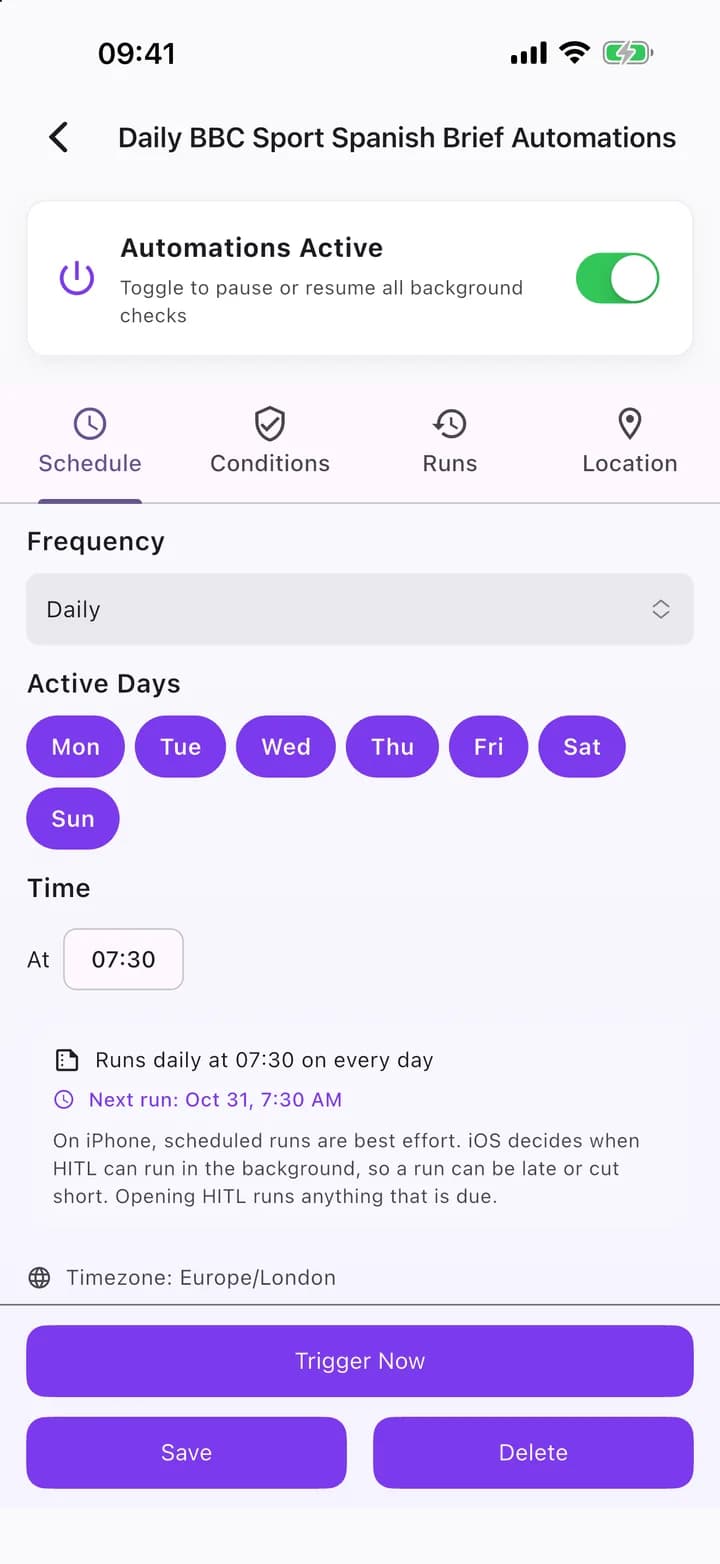
From then on, your memo is prepared on schedule. (On iPhone, background schedules are best effort, and opening the app runs anything that's due.)
Ideas to try
- Sport: "Every morning at 7, a two-minute memo of last night's results for my team, in French."
- Cooking: "Each Sunday, a memo of the new recipes on my favourite blog, in Italian."
- Local: "Every Friday, what's on this weekend from my town's events page."
Get HITL
HITL is in public beta on iPhone and Android. Join the beta and turn your morning check into a memo.
Frequently asked questions
- Which websites can I use?
- Any site you check regularly that doesn't need a login, such as sports results, recipes, local events or a blog. Your agent reads the page, picks out what's new and writes a short script.
- Which languages can the memo be in?
- Ask for the language you want, for example Spanish, French or German. The agent writes the script in that language and records the memo.
- How do I make it run every day?
- Tell your agent, for example 'Do this every day at 7:30am'. It shows you a plan to confirm, then sets up the schedule. You can pause it or change the time later.
- Will it always arrive exactly on time?
- It runs on the schedule you set. On iPhone, background schedules are best effort, and opening the app runs anything that's due.
- How do I get HITL?
- HITL is in public beta on iPhone (TestFlight) and Android (Google Play testing). Join from the download page.