Check GitHub pull requests from your phone (an agent that answers, and a board you can browse)
Install the gh-repo-status agent, point it at your repositories, and ask what's open. Or open its board and look for yourself. Both on your phone.
You're away from your desk and you want to know what's open on a repository: how many pull requests, which issues, and whether that one PR is ready to merge. Opening GitHub on a phone works, but it's a lot of tapping.
Here's another way. Install a GitHub agent on your phone, add your repositories, and ask. And when you'd rather look than ask, open its board. This is how it works in Human in the Loop (HITL), the app where your AI agents live on your phone.
What you need
- The HITL app on iPhone or Android. It's in public beta.
- A repository on GitHub. For this walkthrough we used a public one,
anthropics/skills, with 8 open issues and 22 open pull requests on the day. - About a minute. No token is needed for public repositories.
Step 1: Install the agent from the Marketplace
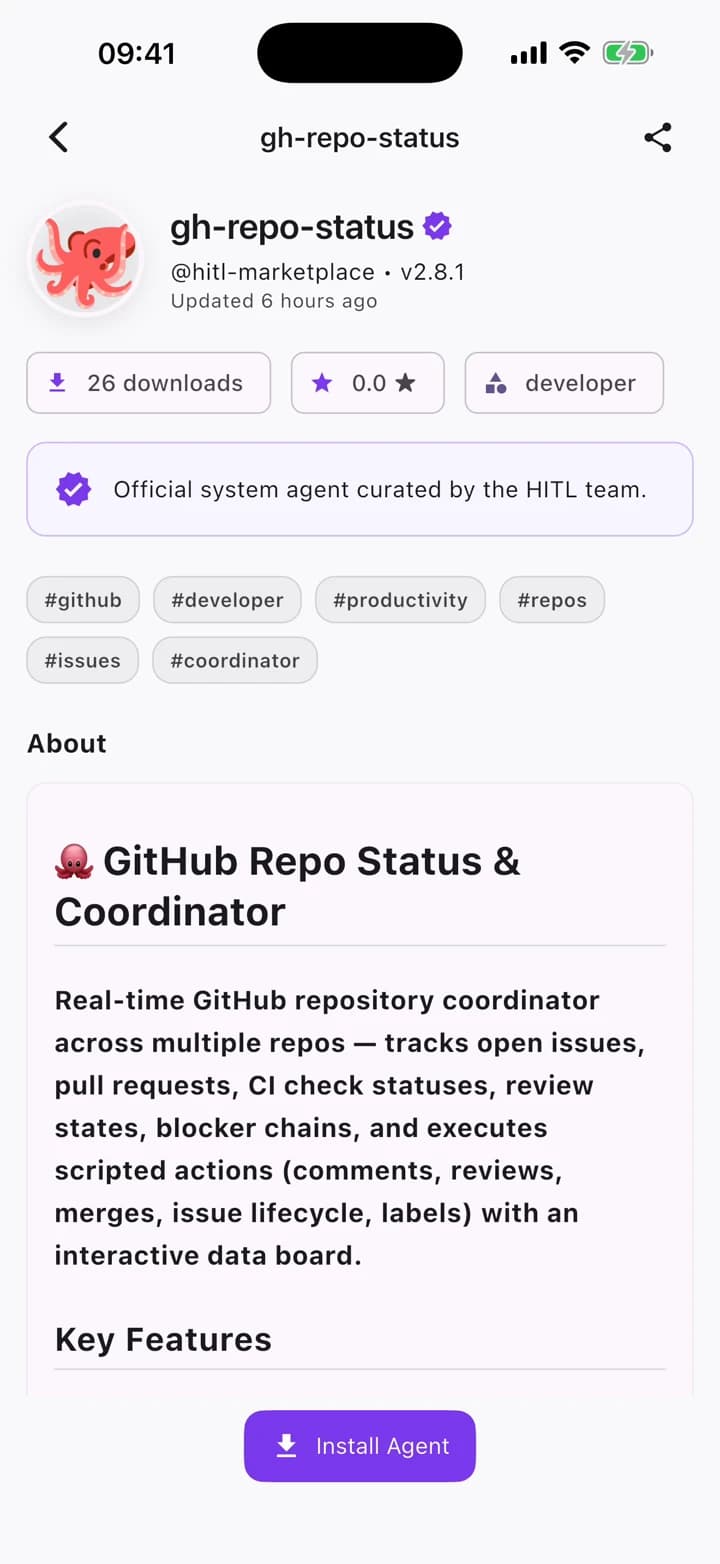
Open the Marketplace, search for gh-repo-status and tap Install. It's one of the official agents curated by the HITL team, and it comes with its own board (more on that below).
Step 2: Add your repositories
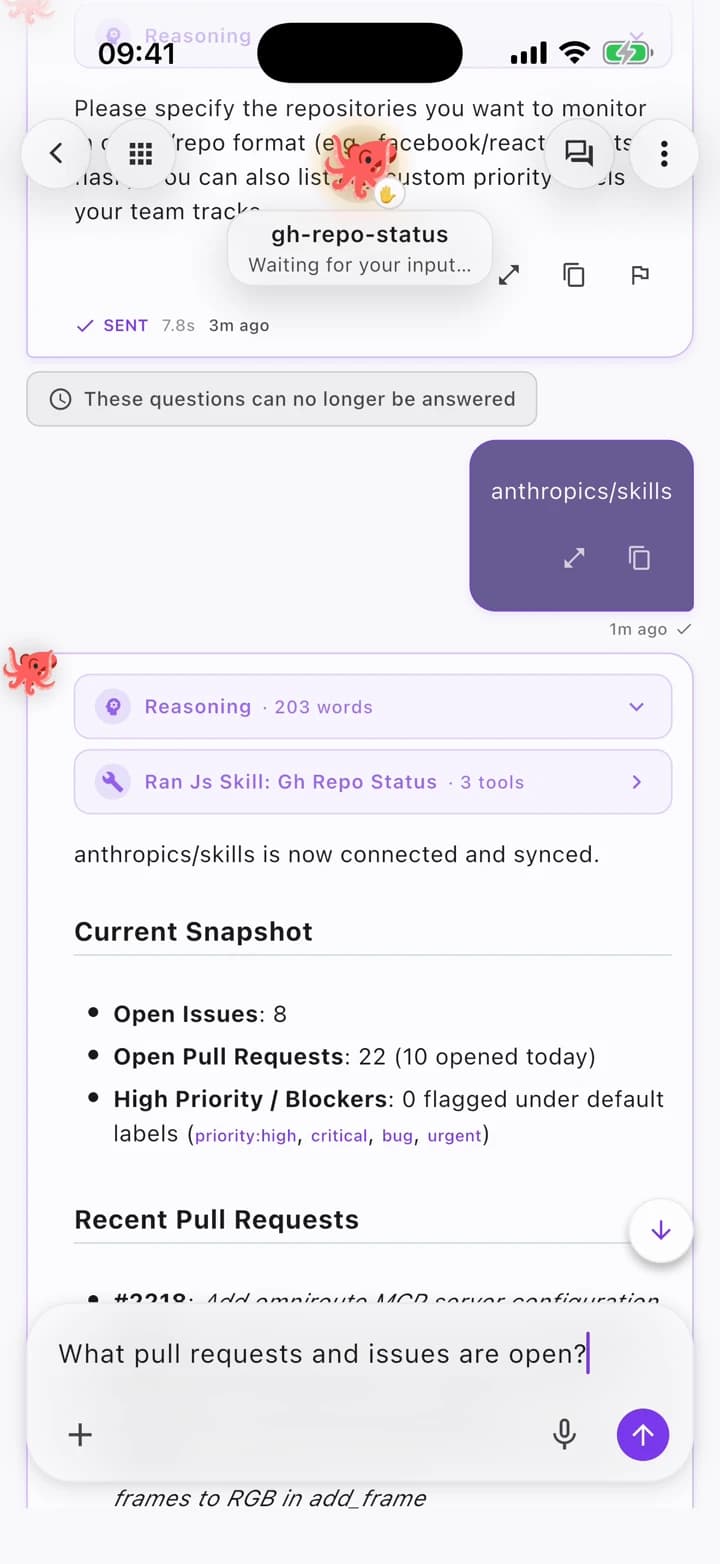
The agent's first message asks how you'd like to set up. Tap Add My Repositories and type the repositories in owner/repo form:
anthropics/skills
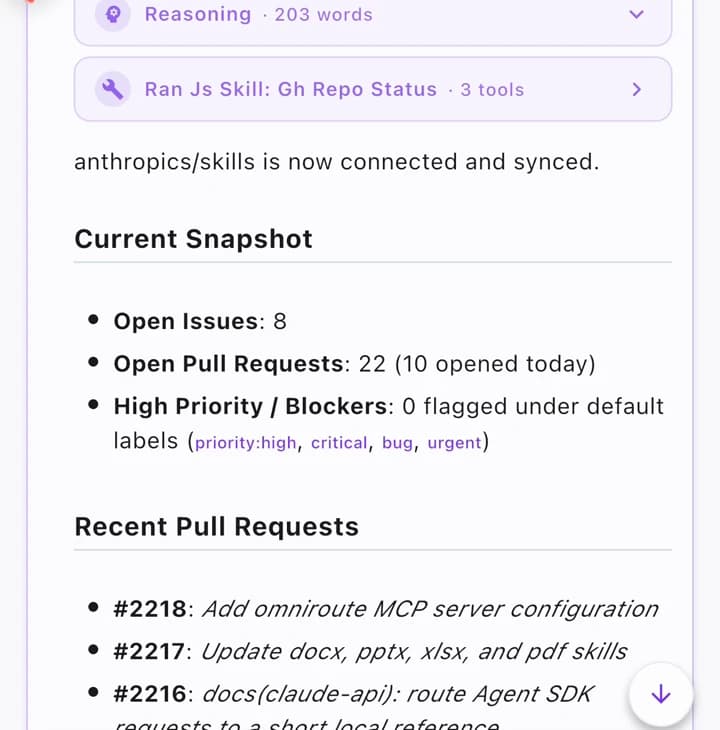
The agent connects, syncs, and shows you a snapshot: open issues, open pull requests, anything flagged as high priority, and the most recent PRs.
Step 3: Ask what's open
Now ask, in plain words:
What pull requests and issues are open?
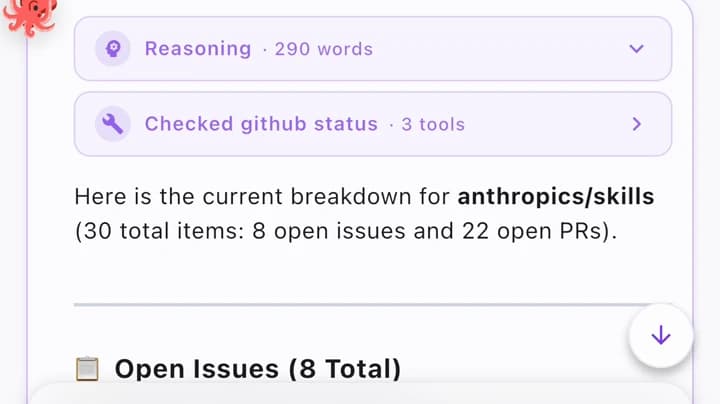
You get the breakdown: the count, then every open issue and pull request with a one-line summary, grouped so the issues that already have a linked PR are easy to spot.
Step 4: Dig into one of them
Pick an item and ask about it:
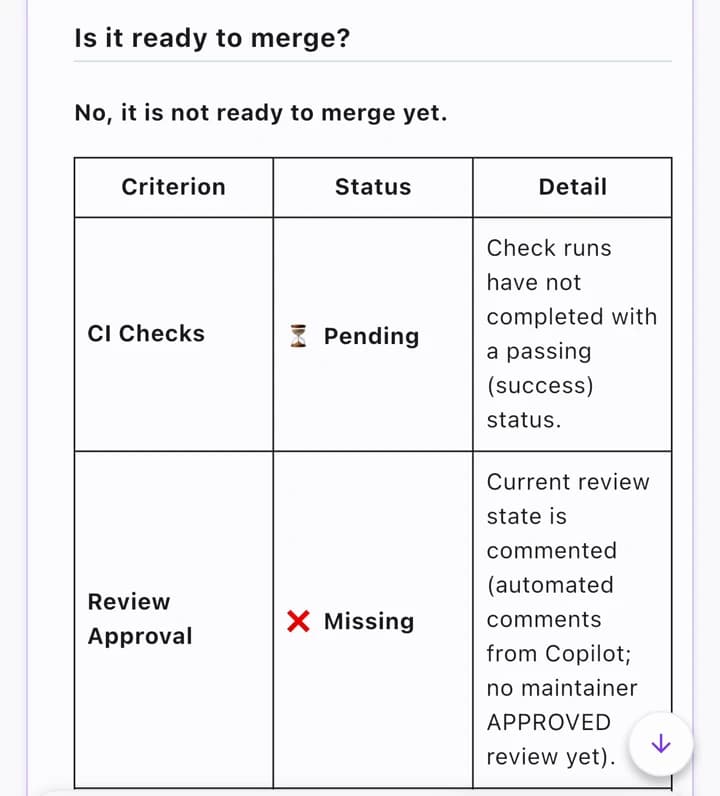
What is PR #2215 about, and is it ready to merge?
The agent reads the pull request and answers with what it changes, what tests it adds, and a verdict. In our case: not ready yet, because the CI checks were still pending and no maintainer had approved it.
Or just open the board
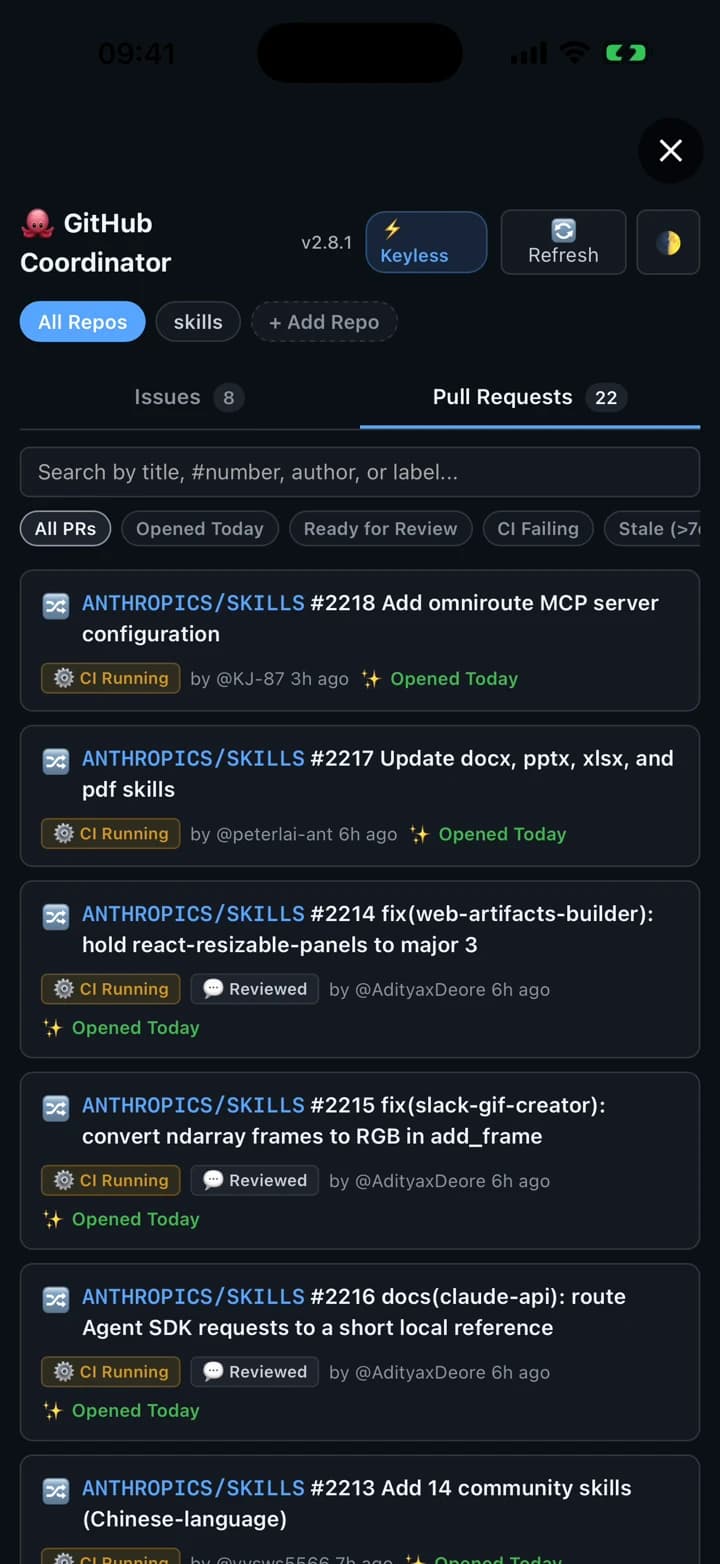
Every HITL agent can ship a mini app, and gh-repo-status ships a board. Tap the grid button in the chat header and it opens full screen: your repositories, tabs for issues and pull requests, a search box, and filters for things like "opened today", "ready for review" and "CI failing". No question needed; it's your own view of GitHub.
Your agent works the same board
The board isn't only for you. Ask the agent to change something on it:
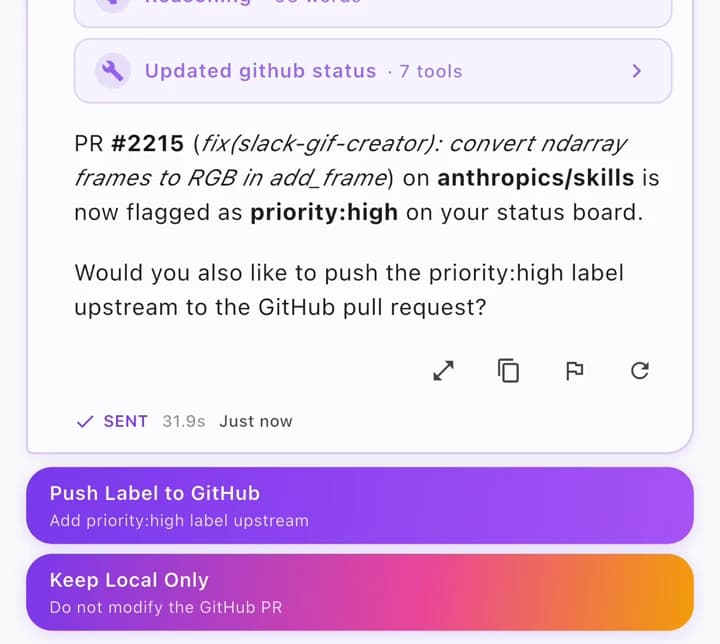
Flag PR #2215 as high priority on the board
It flags the PR, then asks whether to push that label upstream to GitHub or keep it local to the board. We kept it local, so GitHub was untouched.
Open the board again and #2215 is at the top, with its new badge.
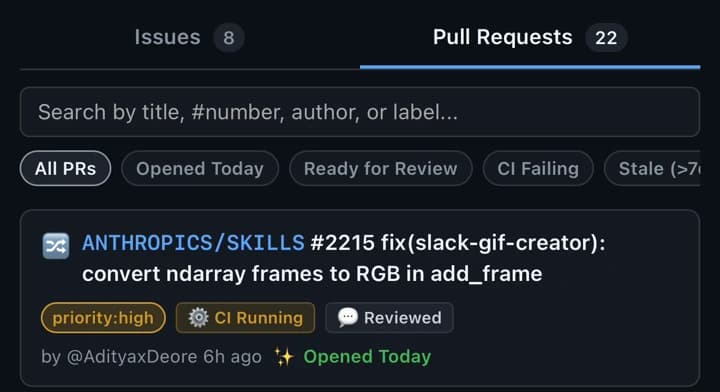
That's the idea behind mini apps in HITL: the same app is used by you and by your agent. You browse it; the agent updates it; you decide what reaches GitHub.
Private repositories
The agent runs keyless by default, which is enough for public repositories at GitHub's unauthenticated limit. For private repositories, or more headroom, add a fine-grained personal access token in the agent's settings. We didn't need one for this walkthrough.
Try it
HITL is in public beta on iPhone and Android. Join the beta, install gh-repo-status, add a repository, and ask it what's open.
Frequently asked questions
- Does it work with private repositories?
- Yes. The agent runs keyless by default, which covers public repositories at GitHub's unauthenticated rate limit. For private repositories, or more requests per hour, add a fine-grained personal access token to the agent. The token stays in the app's agent settings; you never paste it into chat.
- Can it change things on GitHub?
- Only when you say so. In the walkthrough the agent flags a pull request on its board and then asks whether to push that label to GitHub or keep it local. Keep it local and GitHub is untouched.
- What is the board?
- A small app the agent ships with: a view of your repositories' open issues and pull requests, with search and filters, that opens from the chat header. You can read it without asking the agent anything.
- Which repositories can I add?
- Any you can reach on GitHub, in owner/repo form. Add several and switch between them on the board.
- How do I get HITL?
- HITL is in public beta on iPhone (TestFlight) and Android (Google Play testing). Join from the download page.